Mastering Retro Graphics with Procreate Pixel Art Brushes
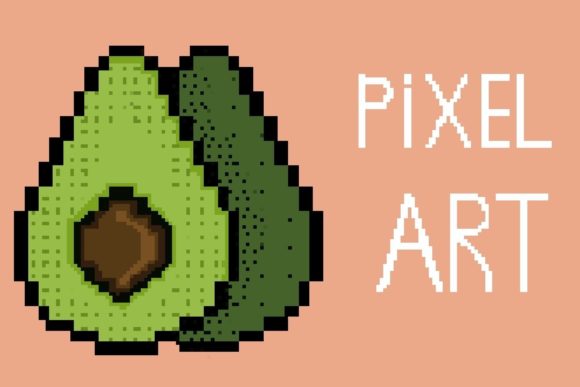
If you are looking to inject a dose of nostalgia into your digital workflow or create crisp, retro-inspired graphics on your iPad, Procreate Pixel Art Brushes are an essential addition to your toolkit. Designed specifically for the Procreate app on iPad with Apple Pencil, these brushes bridge the gap between modern convenience and classic aesthetic. They allow you to create everything from 8-bit character sprites to complex isometric landscapes without the frustration of manually placing every single square. This set is particularly valuable for designers who need that specific "pixelated" look but want to maintain the speed and fluidity of digital illustration.
Understanding the Clean and Easy-to-Use Stamp System
The core strength of this collection lies in its "Clean and Easy to Use" stamp approach. Pixel art, traditionally, requires a steady hand and a lot of patience to ensure lines don't look jagged in the wrong places. However, these Procreate Pixel Art Brushes utilize a stamp-based system that makes the process intuitive. Instead of drawing a continuous line, you are effectively placing perfect geometric shapes that snap to a grid-like feel. This is a game-changer for logo design and icon creation where precision is non-negotiable.
When you download the file, you receive a single .brushset file that integrates seamlessly into your library. Because you can use these in any color or opacity, they function much like a versatile sans serif font for your illustrations. You can layer them to create depth, lower the opacity for background textures, or use vibrant colors for foreground elements. This flexibility makes them a powerful design asset, whether you are working on a retro video game aesthetic or adding a unique texture to a modern brand identity.
Practical Applications for Modern Creators
While the term "pixel art" might evoke memories of old arcade cabinets, the application of these brushes in modern web design and social media graphics is surprisingly broad. We are seeing a significant trend in "neo-brutalism" and Y2K aesthetics dominating packaging design and editorial design. By utilizing Procreate Pixel Art Brushes, you can tap into this trend immediately.
- Social Media Content: Create scroll-stopping Instagram stories or TikTok overlays. The blocky nature of pixel art renders beautifully on mobile screens, ensuring your visual hierarchy is clear even on small devices.
- Sticker and Merch Design: For Etsy sellers or crafters, these brushes allow you to design stickers that have a distinct, handmade feel that standard vector shapes lack.
- Brand Identity: If you are building a brand for a tech startup, a gaming channel, or a retro-themed café, these brushes help create a creative font style of imagery that reinforces the brand personality.
The instant download nature of the file means you don't have to wait to start. Once you receive the email with the download link, you can be designing within minutes. It is important to remember that this is a premium font style tool, exclusively compatible with the Procreate App. It will not work in Photoshop or Illustrator, so ensure your workflow is iPad-centric.
Integrating Pixel Art into Your Brand Strategy
One of the most overlooked aspects of using a stylistic tool like Procreate Pixel Art Brushes is how it influences brand perception. In a market saturated with slick, high-resolution 3D renders and polished serif font typography, pixel art feels approachable, playful, and authentic. It signals to your audience that your brand doesn't take itself too seriously, or that it values the craftsmanship of the digital medium.
Consider the concept of font pairing, but for your imagery. If your brand uses a clean, modern typography style for its text, pairing it with pixel art illustrations can create a striking contrast that improves readability and engagement. The eye is drawn to the texture of the pixels against the smooth vector text. This contrast helps establish a strong visual hierarchy, guiding the viewer's eye exactly where you want it to go.
Getting Started: A Seamless Workflow
Adopting new tools into a professional workflow needs to be frictionless. The creators of these Procreate Pixel Art Brushes have streamlined the installation process. There is no need to unzip multiple folders or manage individual files. You simply import the single .brushset file, and your entire library is updated.
- After purchase and payment confirmation, check your email for the download link.
- Download the file directly to your iPad.
- Open the Procreate app, tap the "+" symbol in your brush library, and import your new brushes.
This ease of use is vital for entrepreneurs and small business owners who wear many hats. You don't have time to troubleshoot complex installation guides. You need design assets that work immediately so you can focus on the creative output. Whether you are sketching out a logo design concept or finalizing packaging design details, the reliability of these stamps ensures your workflow remains uninterrupted.
Evaluating Project Fit and Readability
Before diving into a project, it is worth evaluating if the pixel aesthetic fits the specific needs of the client or audience. While pixel art is incredibly versatile, it functions best as a display font equivalent in illustration—meaning it is excellent for headers, hero images, and logos, but may be less effective for dense, long-form information if not handled carefully.
When working on editorial design or web design, consider the scale. At very small sizes, individual pixels can merge and become unreadable, much like a script font that is scaled down too far. Always test your designs at the intended viewing size. The beauty of using these brushes in Procreate is the ability to zoom in and out instantly, allowing you to check readability on the fly.
Ultimately, Procreate Pixel Art Brushes are more than just a novelty; they are a robust creative font style solution for the iPad era. They offer a way to stand out in a crowded digital landscape, providing a texture and personality that standard stock vectors simply cannot match. For designers, marketers, and hobbyists alike, this tool unlocks a new dimension of retro-inspired creativity.